

Telegram Assistant Bot
About 2 min
Telegram Assistant Bot
The Smilepayz Telegram Assistant Bot provides merchants with quick access to account information and transaction queries directly through Telegram groups.
Bot Access
Bot Link: Smilepayz Assistant Bot
Note: This bot only works in Telegram groups, not in private chats.
Available Commands
Basic Commands
/start                 # start
/help                  # help doc
Pay-in Order Queries
/dm  [orderNo]         # pay-in order query by merchant order no
/dp  [tradeNo]         # pay-in order query by platform trade no
Pay-out Order Queries
/wm  [orderNo]         # pay-out order query by merchant order no
/wp  [tradeNo]         # pay-out order query by platform trade no
Pay-out Receipt Queries
/wrm [tradeNo]         # pay-out receipt query by platform trade no
/wrp [tradeNo]         # pay-out receipt query by platform trade no
Pay-in Receipt Queries
/drm [tradeNo]         # pay-in receipt query by platform trade no
/drp [orderNo]         # pay-in receipt query by merchant order no
Balance Queries
/balidr                # balance of IDR
/balthb                # balance of THB
/balinr                # balance of INR
/balbrl                # balance of BRL
/balmxn                # balance of MXN
/balpen                # balance of PEN
/balcop                # balance of COP
/balphp                # balance of PHP
/balvnd                # balance of VND
/balusdt               # balance of USDT
Utility Commands
/chatid # get current group chat id
How to Use
Step 1: Add Bot to Group
- Click the bot link
- Add the bot to your Telegram group
- Ensure the bot has permission to read messages
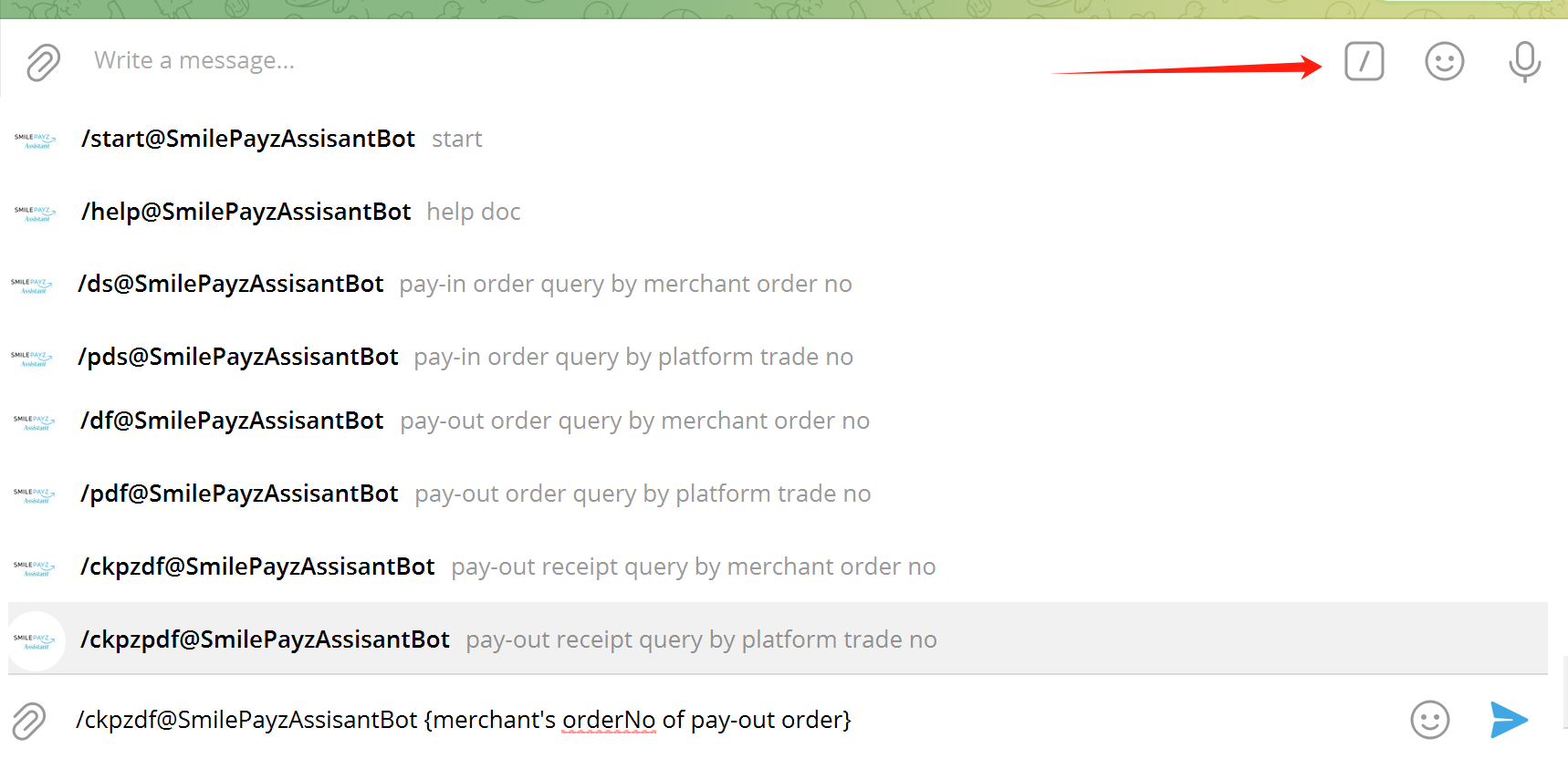
Step 2: Access Commands
- Type
/in the group chat - You will see available command suggestions
- Select the desired command from the list
Step 3: Execute Commands
For transaction queries: Add your order number or trade number after the command
/dm 202412010001For balance queries: Simply execute the command without additional parameters
/balidr
Step 4: View Results
- The bot will respond with the requested information
- Results include transaction details, status, and balance information
Command Examples
Order Query Examples
/dm  202412010001
/dp  TPZ202412010001
/wm  202412010002
Balance Query Examples
/balidr
/balthb
/balinr
Supported Currencies
The bot supports balance queries for the following currencies:
- IDR - Indonesian Rupiah
- THB - Thai Baht
- INR - Indian Rupee
- BRL - Brazilian Real
- MXN - Mexican Peso
- PEN - Peruvian Sol
- COP - Colombian Peso
- PHP - Philippine Peso
- VND - Vietnamese Dong
- USDT - Tether
Security Features
- Group-only access: Bot only works in group chats for security
- Command validation: All commands are validated before execution
- Access control: Only authorized users can access account information
Troubleshooting
Common Issues
- Bot not responding: Ensure the bot is added to the group and has proper permissions
- No results: Check if the order number or trade number is correct
Best Practices
- Use the bot in dedicated business groups
- Keep order numbers and trade numbers handy
- Verify results with merchant backend for critical transactions